

In today’s digital world, making the registration process easy for your event attendees is essential. Adding registration buttons to your website is a simple way to boost ticket sales. This approach simplifies the registration process for attendees.
This guide will show you how to add registration page buttons to your site using Eventbee. With this feature, your attendees can sign up for your event with just one click.
Why Registration Buttons Matter
A seamless registration process is a key factor in increasing attendance at any event. Studies show that a complicated or confusing ticket-purchasing experience can discourage potential attendees from completing their registration.
To highlight the impact of registration buttons, let’s look at a real-life example. SplatCon, a popular gaming convention, uses Eventbee’s registration buttons on its website.
These buttons allow visitors to purchase tickets instantly without navigating through multiple pages. This simple addition has not only improved the user experience but also increased ticket sales.
This seamless integration makes the process easier for attendees and helps you maximize your event’s potential. Next, we will outline the steps to implement this feature for your event.
Step-by-Step Guide
Follow these simple steps to create and add registration buttons to your website:
1. Log in to Eventbee
Start by visiting http://www.eventbee.com and logging into your account. Once logged in, navigate to the specific event you want to manage.
2. Open the Ticketing Tab
On the event’s management page, locate the left-hand menu and click on the “Ticketing” tab. This tab contains all the tools you need to manage ticket sales for your event.
3. Select the Integration Option
Within the Ticketing tab, select the “Integration” option. This section provides the tools to embed your event’s registration URL directly onto your website. You will see various widget codes here, including:
- Ticket Widget – Displays ticket options for direct purchases.
- Facebook Comments – Enables users to share and discuss your event.
- Who’s Attending – Showcases attendees, creating a sense of excitement.
- Facebook RSVP List – Displays a list of people planning to attend.
4. Pick Between Buttons or Widgets
The Integration section offers two main options: Buttons and Widgets.
- Buttons: Buttons are a simple way to direct users to your event registration page. Each event on Eventbee automatically generates a widget code. By embedding this code on your site, a button will appear. When users click the button, the system directs them to the registration page.
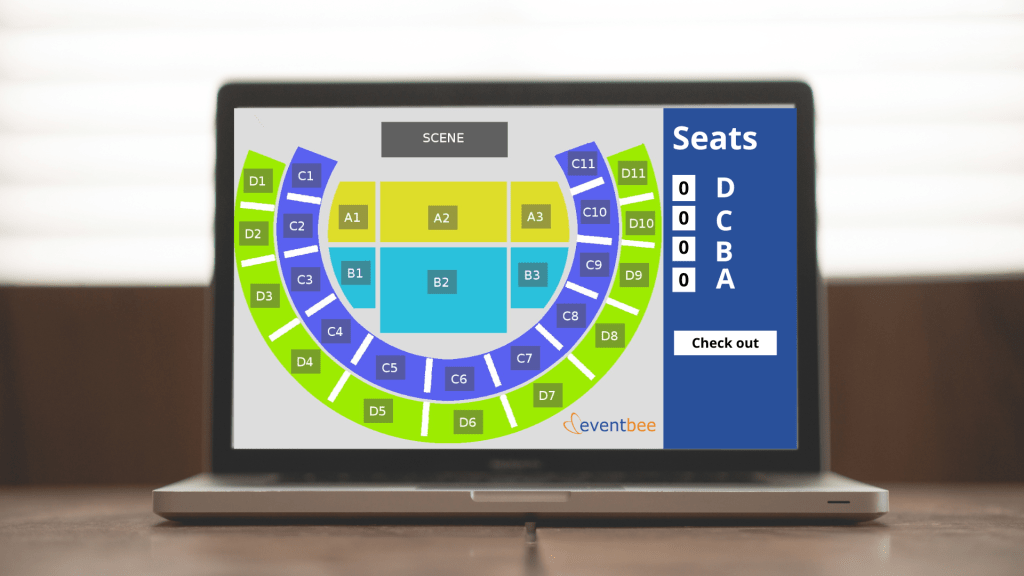
- Widgets: Widgets take the user experience a step further. By embedding the widget code on your website, you can display the ticket selection screen directly on your page. This allows attendees to select and purchase tickets without leaving your website, keeping the experience seamless and professional.
5. Embed the Widget Code
Once you’ve chosen between buttons or widgets, copy the widget code provided in the Integration section. Paste this code into the HTML of the page on your website where you want the button or widget to appear.
6. Test Your Button or Widget
After embedding the code, visit your website to ensure that the button or widget is visible and functioning properly. Test the registration process to confirm that users can navigate through the system without issues.
Additional Tips for Success
When designing your event registration page, remember to keep it simple and visually appealing. Ensure the text on your buttons is clear and prominently displayed, using phrases such as “Register Now” or “Buy Tickets.” Position the buttons or widgets in a highly visible location, such as the homepage or a dedicated event page.
Promoting your registration page on social media can also help increase traffic. Share the link to your event and highlight the ease of the registration process. Encourage attendees to share your event with friends and colleagues to boost engagement.
Enhance Your Event’s Registration Process
Eventbee’s registration buttons or widgets are a quick way to make buying tickets easier. These tools help attendees register easily and make your event page look professional.
By streamlining the process, you reduce the chances of losing potential attendees because of a complicated registration system. Eventbee makes it simple for organizers to use this feature, saving time and boosting ticket sales.
If you have any issues or questions, Eventbee’s support team is available 24/7 at support@eventbee.com.
Make your next event a success by simplifying the registration process. With Eventbee, you’re just a few steps away from creating a seamless experience for your attendees.


 blog.eventbee.com
Leave a comment